

This article introduces recommended Shopify apps for each genre, such as attracting customers, increasing sales, expanding blog posts, etc. If you only want to read about a specific genre, the "Table of Contents" displays a list of Shopify apps for each genre, so we recommend that you click on the table of contents and start reading from the relevant section.
In addition to introducing recommended Shopify apps, we also explain points to keep in mind when selecting and implementing Shopify apps.
What is the Shopify app?
Shopify apps are tools (software) that you can install on your Shopify site to extend its functionality. It will be easier to understand if you imagine it as a smartphone app that is installed on a smartphone such as an iPhone or Android.

The Shopify App Store, where you can search and install Shopify apps, has over 16,000 Shopify apps, and there are also many Shopify apps that can be used for free.
In addition, before a Shopify app is published on the Shopify App Store, it is tested and reviewed based on approximately 100 screening criteria. Only apps that have passed rigorous screening are published on the Shopify App Store, ensuring that all Shopify apps are of high quality.
You can use Shopify apps to do what you want to achieve on your Shopify site, such as "I want to start subscriptions or pre-order sales," "I want to collect and display reviews," "I want to perform step-by-step distribution via email or LINE," "I want to introduce a point system, affiliate program, loyalty program, etc." or "I want to automate shipping work."
As a side note, you can find our RuffRuff app series by searching for "RuffRuff" in the Shopify App Store. Please try searching once.
Shopify apps that meet the highest quality standards
Built for Shopify is a certification badge given only to apps that meet Shopify's standards. The review mainly looks at three areas: performance, design, and integration.
All seven apps in the RuffRuff series, developed by Tsun Inc., have earned Built for Shopify (as of October 2, 2026). The table below shows what each app is mainly used for and the chapter of this article that introduces it.
| App | Main use | Chapter in this article |
|---|---|---|
| RuffRuff 予約販売 | Pre-orders and member-only sales | CVR improvement/sales expansion |
| RuffRuff Order Limits | Purchase limits such as quantity and amount | Other |
| RuffRuff Order Bonus | Discounts and gift distribution | CVR improvement/sales expansion |
| RuffRuff Selling Periods | Launch announcements and limited-time sales | CVR improvement/sales expansion |
| RuffRuff Table of Contents | Tables of contents for articles and product pages | Blog function extension |
| RuffRuff Product & Blog Tags | Tag lists and tag filters | Blog function extension |
| RuffRuff Author Profiles | Author profiles for articles | Blog function extension |
The certification criteria and how to find certified apps are explained in detail in "What Is Built for Shopify? Explaining the Certification Criteria and the Benefits for Both Merchants and Developers."
[Attracting customers] Recommended Shopify apps
Below is a list of recommended Shopify apps that will help you attract customers to your Shopify store.
- Google Channel [External Channel Linkage]
- Facebook & Instagram [External channel cooperation]
- TikTok [External channel cooperation]
- X [External channel cooperation]
- SEO Manager [SEO measures]
- Marutto Attract Customers [Affiliate]
- Affitch [Affiliate]
I will explain each in detail.
Google Channel [External Channel Linkage]

Google Channel is a recommended Shopify app if you want to advertise on Google Shopping Ads.
By using this app, you can synchronize the product data in Shopify with Google Merchant Center (a Google service for running Google Shopping ads). It can also be used to set up Google Analytics 4, a website access analysis tool.
Pricing: Free
In the blog article below, we will introduce ways to attract customers other than Google Shopping ads that you can do with your Shopify store. We also introduce recommended Shopify apps for attracting customers, so please refer to them.

Facebook & Instagram [External channel cooperation]

Facebook & Instagram is a recommended Shopify app if you want to use Facebook shopping and Instagram shopping features.
Like Google Channel, this app automatically syncs product data in Shopify to Facebook and Instagram.
Pricing: Free
The blog post below explains how to set up a Meta pixel in Shopify using Facebook & Instagram. Please use this as a reference.

The blog article below introduces how to connect Shopify and Instagram and introduces recommended apps. Please use this as a reference.

TikTok [External channel cooperation]


X [External channel cooperation]

This is a Shopify app that allows you to synchronize products registered in your Shopify store to X (formerly Twitter) and display the products on X.
Pricing: Free
The blog article below introduces how to display products on X's profile using the X app. Please use this as a reference.

SEO Manager [SEO measures]

SEO Manager is a popular SEO app among Shopify apps.
By using SEO Manager, you can streamline SEO measures such as ``selecting keywords to be addressed,'' ``optimizing titles and meta descriptions,'' and ``extracting and correcting error items.''
Pricing: $20/month
In the blog article below, we explain not only the advantages of SEO measures, but also the disadvantages of SEO measures and SEO measures that can be done with Shopify. Please use this as a reference.

Marutto Attract Customers [Affiliate]

This is an app that can collaborate with various external customer acquisition channels. It is free to use and can be linked with major affiliate ASPs such as Value Commerce, A8.net, and Access Trade. In addition to working with ASP, you can also work with various external channels such as Google ads, Facebook/Instagram ads, LINE media, and AmebaPick.
Pricing: Free
The blog article below introduces the main features and benefits of Marutto Attract Customers, and how to implement it. If you are considering introducing Marutto Attract Customers, please refer to it.

The blog article below introduces the advantages and disadvantages of doing affiliate advertising on your Shopify store, as well as recommended affiliate apps. Please use this as a reference.

Affitch [Affiliate]

This is an app that allows you to build an affiliate program on your Shopify site.
Recommended for Shopify sites that want to increase sales through affiliate marketing but don't want to have intermediate margins taken by ASP. Since it's a domestically produced Shopify app, you can get support in Japanese if you run into any problems, which is a great thing.
The blog article below introduces Affitch's main features, pricing plans, and how to install it. If you are considering introducing Marutto Attract Customers, please refer to it.

[CVR improvement/sales expansion edition] Recommended Shopify apps
Below is a list of recommended Shopify apps that support CVR improvement and sales expansion.
- RuffRuff 予約販売 [Pre-order/member-only sale]
- RuffRuff Selling Periods [Release notice/limited time sale]
- RuffRuff Order Bonus [Discount/Free Shipping]
- Swym Wishlist Plus [Wishlist]
- Go Sub [Subscription sales]
- Shopify Bundles [Set sale]
- proteger [extended warranty]
- Judge.me [Review]
- PushOwl/Brevo [Abandoned cart prevention]
- All in gift [Gift]
- Poing Pong [Points]
I will explain each in detail
RuffRuff 予約販売 [Pre-order/member-only sale]
"RuffRuff 予約販売" is an app that lets you accept pre-orders for products before launch or while they are out of stock. There is no limit on the number of pre-orders, and you can set sales rules based on stock level, sales period, customer tags, whether the customer is logged in, and days of the week or dates.
It supports full prepayment, full deferred payment, and partial prepayment. It can also restrict buying pre-order and regular items together, add order tags automatically, and put fulfillment on hold.
By applying pre-order rules, you can also run limited-time sales, VIP member-only sales, early-bird discounts, and recurring sales.
It has earned "Built for Shopify," which is given to apps that meet Shopify's standards for performance, design, and integration.
Pricing: from $9/month plus a 3% pre-order fee (Starter plan, as of October 2, 2026)
The blog article below not only explains in detail the benefits of pre-order sales, but also introduces the disadvantages and tips for making pre-order sales successful, so please refer to them.

RuffRuff Selling Periods [Release notice/limited time sale]
RuffRuff Selling Periods is an app for running new product launch announcements and limited-time sales. You can set the sales start and end date and time for each product or variant.
Outside the selling period, the cart button can be hidden or disabled, and the selling period is also checked at checkout to restrict purchases outside it. Product messages switch automatically before launch, during the sale, and after it ends, and you can also show a countdown timer and product card badges.
It has earned "Built for Shopify," which is given to apps that meet Shopify's standards for performance, design, and integration.
Pricing: from $9.90/month ($9.90–$19.90/month depending on the store's Shopify plan, as of October 2, 2026)
Related articles


RuffRuff Order Bonus [Discount/Free Shipping/Gift Distribution]
RuffRuff Order Bonus is an app for setting up promotions such as discounts, gift distribution, and free shipping. You can narrow down who gets a bonus by product, customer tags, customer metafields, purchase history, and more.
For example, you can run promotions like these:
- Member-only sales and wholesale pricing
- Tiered bulk-purchase discounts
- Discounted or free shipping
- Gifts and novelty items for orders that meet set conditions
- Gifts the customer can choose, and gifts given repeatedly based on amount or quantity
It can also show bonus information and sale prices next to the original price on product pages, and product card badges in product lists.
It has earned "Built for Shopify," which is given to apps that meet Shopify's standards for performance, design, and integration.
Pricing: from $9.90/month ($9.90–$29.90/month depending on the store's Shopify plan, as of October 2, 2026)
Swym Wishlist Plus [Wishlist]

This is the most popular Shopify app with the Favorites feature.Even guest users can create a favorites list, and it is also possible to publish the favorites list to third parties as a wishlist. You can also receive various notifications regarding your favorite products, such as stock quantity notifications, price reduction notifications, coupon notifications, and automatic notifications.
It can be linked with various email apps such as Mailchimp, Klaviyo, ReSci, Sailthru, Bronto, Dotmailer, etc.
Pricing: Free〜
The blog article below not only details the benefits of introducing the Favorites feature in Shopify, but also introduces how to implement it and recommended Shopify apps. Please use this as a reference.

Go Sub [Subscription sales]

This is a subscription app provided by Go Ride Co., Ltd., certified as one of the few Plus Partners in Japan.As of January 5, 2026, it is one of the subscription apps that does not interfere with the pre-order app "RuffRuff 予約販売".
Both the Starter Plan and the higher-end Premium Plan are cheaper than other subscription apps. Another feature is that despite its low price, it is fully equipped with the functions necessary for subscriptions.
It is a good idea to choose the starter plan until your monthly sales through regular subscriptions exceed approximately 300,000 yen.
The blog article below not only explains in detail the advantages of making a subscription, but also explains in detail the disadvantages and how to choose a subscription app. Please use this as a reference.

Shopify Bundles [Set sale]

Shopify Bundles is a genuine Shopify app that enables set sales (bundle sales) on your Shopify store. This is an app that allows you to create a "set product AB" that is a set of product A and product B. It is characterized by being free and easy to use.
The blog article below provides a detailed explanation of what Shopify Bundles can and cannot do, how to set it up, etc. Please use this as a reference.

In the blog article below, we not only introduce the advantages of selling sets on Shopify, but also the disadvantages of selling sets and recommended Shopify apps. Please use this as a reference.

proteger [extended warranty]

proteger is a Shopfiy app that allows you to easily introduce warranty services to your online store. Stores can expect to increase sales through warranty fees (additional warranty options), and buyers can have peace of mind by adding an extended warranty to their products. Another good point is that even if a product is damaged and a warranty is required, proteger will take care of everything, so there is no burden on the store.
Pricing: Free〜
Judge.me [Review]

This is a popular review app among Shopify apps. It has more functions than Product Reviews, and in addition to the functions of Product Reviews, it has various functions such as ``setting conditions and scheduling for requesting reviews'', ``posting reviews with photos and videos'', ``automatically distributing thank you coupons to reviewers'', ``automatically distributing reviews to SNS'', ``AB testing function'', etc., from collecting reviews to displaying them and sharing them to external channels.
Pricing: Free〜
*Some features are only available on paid plans, so please check the Shopify App Store for details.
The blog article below provides a detailed explanation of Judge.me's main features, pricing plans, setup methods, etc. Please refer to it if you are considering implementing Judge.me.

The blog article below not only introduces the benefits of introducing reviews to your Shopify store, but also introduces the disadvantages and recommended Shopify apps. Please use this as a reference.

PushOwl/Brevo [Cart drop prevention]

PushOwl/Brevo is a Shopify app that allows you to send push notifications to your users. Push notifications can be sent at various times, such as when a cart is dropped, when a price is reduced or on sale, when a product arrives or is out of stock, and when a product ships. You can also send notifications with images, and by using attractive images, you can increase the effectiveness of campaign notifications.
Pricing: Free〜
The blog article below provides a detailed introduction to the features and benefits of PushOwl, how to install it, and how to use it. Please use this as a reference.

The blog article below not only provides details on the causes of dropped carts, but also explains why countermeasures against dropped carts are necessary and what you can do to prevent dropped carts on your Shopify store. We also introduce Shopify apps that are recommended for preventing abandoned carts, so please refer to them.

All in gift [Gift]

This is a gift app that enables gift support and e-gift support on Shopify sites.
It also supports Japanese business customs such as noshi, gift wrapping, gift cards, and carrier bags. If your Shopify site handles products that are likely to be in demand as gifts, it is a good idea to try implementing it once and see whether the gift feature gets used.
The blog article below introduces All in gift's features, price plans, and setting methods. Please use this as a reference.

The blog article below introduces the benefits of handling e-gifts with Shopify and Shopify apps that support e-gifts, including All in Gift. Please use this as a reference.

Poing Pong [Points]

"Point Pong" is a point and review management app for Shopify stores. Customers earn points with every purchase and can use those points as a discount on their next purchase. It provides a variety of functions such as setting bonus points for a specified period, adding bonus points for new customer registration, setting products that are not eligible for points, and managing point history for each customer.
It also integrates with Japan's popular pre-order app "RuffRuff 予約販売", and it is also possible to award bonus points to purchasers of pre-ordered items.
Additionally, it has a review feature that allows customers to earn additional points by posting product reviews. This can be expected to improve customer loyalty and increase sales.
Pricing: Basic plan: $20 per month
In the blog article below, we will explain in detail the features of "PoinPon", how to introduce it, price plans, etc. Please use this as a reference.

In the blog article below, we will not only introduce the advantages of introducing a point service, but also the disadvantages and recommended apps. Please use this as a reference.

[Blog function extension] Recommended Shopify apps
Below is a list of recommended Shopify apps that will enhance your Shopify store's blog posts.
- RuffRuff Table of Contents [Table of Contents]
- RuffRuff Product & Blog Tags [Tags]
- RuffRuff Author Profiles [Author information]
I will explain each in detail.
RuffRuff Table of Contents [Table of Contents]
"RuffRuff Table of Contents" is an app that generates a table of contents automatically from headings. In addition to blog articles, it can show a table of contents on products, collections, and pages (products, collections, and pages require the Regular Plan).
You can adjust the design, including background color, text color, font size, borders, chapter numbers, and indentation, while checking it in a live preview. From the Light Plan, it also supports an open/close button, a limit on the initially shown lines, and banners or videos above and below the table of contents with custom Liquid.
It has earned "Built for Shopify," which is given to apps that meet Shopify's standards for performance, design, and integration.
Pricing: Free plan available (Light Plan $3.99/month, Regular Plan $9.99/month, as of October 2, 2026)
The blog article below explains the benefits of including a table of contents in Shopify blog posts. Please use this as a reference.

RuffRuff Product & Blog Tags [Tags]
"RuffRuff Product & Blog Tags" is an app that lists the tags set on products and blog articles and lets visitors filter by tag. It works on product pages, collection pages, blog articles, and blog listing pages.
You can choose from four designs (text only, square, round, and underline), and exclude tags used for internal management from the list. From the Light Plan, you can switch between multiple and single selection and show preferred tags first. Setup takes just two steps.
It has earned "Built for Shopify," which is given to apps that meet Shopify's standards for performance, design, and integration.
Pricing: Free plan available (Light Plan $3.99/month, Regular Plan $9.99/month, as of October 2, 2026)
The blog article below not only introduces the advantages of using tags in Shopify, but also introduces the disadvantages and how to tag effectively. Please use this as a reference.

RuffRuff Author Profiles [Author information]
"RuffRuff Author Profiles" is an app that shows the profile of an author or maker on blog articles, products, and pages. You can display a name, image, title, and bio, and apply the same profile to multiple articles or products at once.
You can adjust the design, such as image shape and size, colors, and borders, while checking it in a live preview. You can register up to 5 authors on the Free plan, 15 on Light, and an unlimited number on Regular. Links and translation are available from Light, and display on products and pages is available on Regular.
It has earned "Built for Shopify," which is given to apps that meet Shopify's standards for performance, design, and integration.
Pricing: Free plan available (Light $4.99/month, Regular $9.99/month, as of October 2, 2026)
The blog article below not only introduces the benefits of providing author information in Shopify blog articles, but also introduces methods for providing author information and recommended Shopify apps that can display author information. Please use this as a reference.

[CRM Edition] Recommended Shopify apps
Below is a list of recommended Shopify apps that support CRM for your Shopify store.
- Shopify Messaging (formerly Shopify Email) [Email/SMS]
- Klaviyo [email]
- Omnisend [email]
- CRM PLUS on LINE【LINE】
- Channel Talk [WEB chat/LINE]
- Shopify Inbox [WEB chat/SNS]
- Ranky [Membership rank]
I will explain each in detail.
Shopify Messaging (formerly Shopify Email) [Email/SMS]

Shopify Messaging (formerly Shopify Email) is a genuine Shopify messaging app. By using this app, Shopify store operators can do everything from creating and sending email newsletters, analyzing data, managing templates, and delivering SMS within the Shopify admin. You can also send up to 10,000 emails per month for free, making it one of the cheapest email distribution apps.
Pricing: Free〜
*Up to 10,000 emails per month are free, and if you send more than 10,000 emails, you will be charged $1 for each 1,000 emails.
The blog article below explains not only the advantages of email marketing, but also the disadvantages and types of emails. Please use this as a reference.

Klaviyo [email]

This is one of the most popular email delivery apps among Shopify apps. It has all the functions necessary for email distribution, and is characterized by a wide variety of Shopify apps that can be linked. By using Klaviyo, it is possible to create automation emails such as "I would like to automatically send an email with the content of XX to the customer at the timing of OO."
It is also possible to display a restock notification form when a product is out of stock, or to automatically send an email notification to those who have entered the restock notification form when the product is back in stock.
Pricing: Free〜
*Up to 250 emails are free. Up to 50 SMS messages are free. More than that will be charged. Please refer to the official page for details.
The blog article below explains in detail the benefits of using Klaviyo and how to do the initial setup. Please use this as a reference.

Omnisend [email]

Omnisend is the second most popular email newsletter distribution app after Klaviyo. It's relatively cheap to start compared to Klaviyo, and the settings screen is intuitive and easy to understand, even though it's in English. Most of the things you can do with Klaviyo are the same, such as mass email delivery, automation email delivery, and restock notifications.
For more information about Omnisend, see the blog article below. Please use this as a reference.

CRM PLUS on LINE【LINE】

CRM PLUS on LINE is an app that enables LINE integration and LINE distribution on Shopify sites.Since it is a domestically produced app, it is fully supported in Japanese, and by combining it with Shopify Flow, it is also possible to send step messages on LINE.
You can also implement social login (a feature that allows you to log in with your Facebook, Twitter, or Google account) for your Shopify store, although it is available only on the Shopify Plus plan.
Pricing: Free〜
*Free up to 100 LINE IDs. For more information, check out Shopify App Store pricing.
The blog article below provides a detailed introduction to CRM PLUS on LINE's features, pricing plans, and setup methods. Please use this as a reference.

In the blog article below, we introduce not only the advantages of using LINE for your Shopify store, but also the disadvantages, usage examples, and recommended Shopify apps for LINE integration. Please use this as a reference.

Channel talk [WEB chat/LINE]

Channel Talk is a web customer service tool that can be used with Shopify. You can display web chats on your Shopify store, and you can also automatically respond to inquiries using the chatbot feature.
You can also centrally manage messages from customers such as LINE, email, and Instagram DMs, so if you want your inquiry channel to accept not only chat but also email and LINE, it is worth considering installing it.
Pricing: Free〜
Shopify Inbox [WEB chat/SNS]

This is a genuine Shopify messaging app that allows you to publish web chat on your Shopify site.Another feature is that you can manage conversations across chat, the Shop app, Instagram, and Messenger all in one place. You can use it for free, so please try it once.
Pricing: Free
The blog article below provides an easy-to-understand explanation of Shopify Inbox's features, pricing, and how to install it. Please use this as a reference.

Ranky [Membership rank]

Ranky is a Shopify app that allows you to "easily" start operating a membership rank system on your Shopify store. It is possible to assign ranks based on the cumulative purchase amount and number of purchases over a specified period such as the past month or year, as well as specific customer tags. Ranks are stored in the customer's metafield, so they can be leveraged on storefronts and when integrating with external apps. Rank evaluation is performed regularly, such as daily or monthly, as well as at events (when an order is placed, canceled, a new customer is registered, a customer's tag is updated, etc.). In addition, you can add a membership card showing the membership rank and a barcode (one-dimensional or two-dimensional) of the member ID to My Page and other pages without coding.
The blog article below provides a detailed introduction to Ranky's features, pricing plans, and setup methods. Please use this as a reference.

In the blog article below, we will explain in detail how to introduce a member rank system to your Shopify store, its advantages and disadvantages, and recommended member rank apps. Please use this as a reference.

[Man-hour reduction edition] Recommended Shopify apps
Below is a list of recommended Shopify apps that reduce the amount of work required while running a Shopify store.
- Plus shipping [Delivery work]
- Specify delivery date and time.amp [Desired delivery date]
- Matrixify [data work]
- Metafields Guru [Data work]
- Shopify Flow [Work automation]
- Shopify Order Printer [Form output]
- Restock Notification Supporter [Restock Notification]
I will explain each in detail.
Plus shipping [Delivery work]

Plus Shipping is a delivery ordering app developed as Shopify Shipping for Japanese businesses. Just by installing Plus Shipping and applying, you can complete contracts with Japan's three major shipping companies: Yamato Transport, Japan Post, and Sagawa Express, and purchase shipping labels using discounted special shipping charges.
Normally, individual contracts with delivery companies cannot be accepted unless the amount of cargo exceeds a certain level. However, with Plus Shipping, even small businesses that only ship one item per month can contract with each shipping company and use special shipping rates just by installing the app.
The blog article below provides a detailed explanation of the features, settings, and usage of Plus Shipping. Please use this as a reference.

Specify delivery date and time.amp [Desired delivery date]

"Delivery date and time specification .amp" is a delivery date and time specification app provided by and.d Co., Ltd.
You can display the delivery date and time specification module not only on the cart page but also on the checkout page (※ Shopify Plus only), and it is characterized by a wide variety of apps and services that can be linked, such as OpenLogi, Huckleberry, Next Engine, Logikura, and Plus Shipping.
It is functionally linked with the pre-order app "RuffRuff 予約販売", and by using the two apps together, you can hide the delivery date and time specification module when a pre-order item is in the cart, or hide the delivery date and time specification module on a per-variant basis.
The blog article below introduces the features, price plans, and initial setup method of Delivery date and time specification .amp. Please use this as a reference.

In the blog article below, we introduce not only the advantages of setting up delivery date and time specifications in your Shopify store, but also the disadvantages and recommended Shopify apps. Please use this as a reference.

Matrixify [data work]

This is a Shopify app that allows you to export all data on Shopify, such as products and blog articles, and use the import function to edit data in bulk.
We recommend installing it on Shopify sites that handle many products or have a lot of content.
The free plan allows you to import/export 10 items at a time, so please try it out first.
Pricing: Free〜
※Free import/export of up to 10 items at a time. If you want to import/export more, you will be charged a fee, so please check the pricing in the Shopify App Store for details.
Please refer to the blog article below which explains Matrixify's functions and data export procedures.

Metafields Guru [Data work]

A function that allows you to manage information that you want to manage separately from the information that can be managed by default on the Shopify administration screen, and that arbitrary information is called a Metafield.
Metafields Guru is an app that allows you to modify Metafild all at once.
Pricing: Free〜
※Free up to 1000 credits (credit = unit of work defined by Metafields Guru)
Please refer to the blog article below, which also introduces recommended Shopify apps for editing meta fields and meta fields in bulk.

Shopify Flow [Work automation]

Shopify Flow is a genuine Shopify app that automates all the tasks and processes that occur when running a store. Previously, it was available only on the Advanced plan, but since July 2023 it has also been available on the Basic plan. Shopify Flow can be installed for free from the Shopify App Store.
Pricing: Free
The blog article below explains Shopify Flow in detail. Please use this as a reference.

Shopify Order Printer [Form output]

Shopify Order Printer is a completely free app provided by Shopify that allows you to print a large amount of documents needed for shipping, such as statements, receipts, and invoices, on Shopify.
You can also customize document templates by editing the HTML (Liquid file).
You can also customize it by inserting an image of your company's logo, changing the color of text and lines, and creating your own store-specific documents based on orders.
By creating unique store documentation, you can also help your customers recognize your brand.
The blog article below explains Shopify Order Printer in detail. Please use this as a reference.

Restock Notification Supporter [Restock Notification]

Restock Notification Supporter is a restock notification app that supports Japanese.
This app is available for free and is recommended for Shopify sites that want to prevent opportunity losses due to out-of-stock items.
Pricing: Free〜
※Free for up to 5 email and SMS restock notification sign-ups
The blog article below also introduces recommended Shopify apps for restock notifications and how to choose a restock notification app. Please use this as a reference.

[AI Edition] Recommended Shopify apps
In recent years, AI has become deeply involved in e-commerce operations, with customers consulting AI while shopping, and store operators using AI to make improvements and price decisions. Here, we will introduce a list of recommended AI-related Shopify apps provided by Shopify official.
- SimGym [AI simulation]
- Shopify Smart Pricing [AI price suggestion]
- Shopify Knowledge Base [Information preparation for AI]
I will explain each in detail.
SimGym [AI simulation]

Source: SimGym | Shopify App Store
SimGym is an AI simulation app provided by Shopify official. An "AI shopper" that imitates customer behavior visits the store virtually and performs a series of actions like a real customer, such as browsing products and adding items to the cart.
This allows you to test how theme changes, design adjustments, and new initiative ideas work before they go live. It is possible to "compare the current theme and the draft theme" and "analyze the strengths and areas for improvement of one theme", and get hints for improvement from the perspective of navigation experience, checkout experience, etc. A major feature is that you can try out changes to your store before publishing them, reducing the risk of a decline in access numbers or sales after publishing.
Although it is free to install, it is a pay-as-you-go model that consumes credits for each simulation run (free credits will be provided during the AI Research preview period).
Pricing: Free ~ (Pay-as-you-go per simulation)
In the blog article below, we explain in detail the mechanism and functions of SimGym, the benefits of introducing it, usage requirements, and precautions. Please use this as a reference.

Shopify Smart Pricing [AI price suggestion]

Source: Shopify Smart Pricing | Shopify App Store
Shopify Smart Pricing is a pricing assistance app provided officially and free by Shopify. Using machine learning, it suggests price reductions and price increases for each product based on data such as store sales, inventory, and seasonality.
You can receive review proposals tailored to your situation, such as proposing price reductions for products that are not selling well, and price increases for products whose prices are held down despite high demand. Suggestions are not reflected automatically, but are applied after the operator confirms them, so you can use them with confidence. This app is useful when you want to review prices based on data rather than relying solely on intuition or experience.
Please note that the suggestions are calculated with the aim of "maximizing the store's overall profits," and may not necessarily be the optimal price for each individual product. In addition, there are usage conditions such as a certain sales record in order to receive proposals for price reductions and price increases.
Pricing: Free
The blog article below provides a detailed explanation of the structure and functions of Shopify Smart Pricing, the benefits of implementing it, and the terms of use and precautions. Please use this as a reference.

Shopify Knowledge Base [Information preparation for AI]

Source: Shopify Knowledge Base | Shopify App Store
Shopify Knowledge Base is an official Shopify app that provides accurate information to AI tools such as ChatGPT when they are asked about your store. It is available for free to all Shopify users.
FAQs can be automatically generated based on store settings such as shipping costs and return rules, and you can also add and edit your own questions and answers. Additionally, by using the query log function, you can check what questions customers are asking the AI and whether the AI is answering those questions.
What I would like to note is that this is not an app that creates a FAQ page that customers can view directly on the store, but rather a tool that prepares the ``source data of store information'' that the AI refers to. As the number of customers searching for stores via AI increases, it can be used as a way to reduce the risk of incorrect guidance.
Pricing: Free
The blog article below provides a detailed explanation of Shopify Knowledge Base's functions, how to use it, the benefits of implementing it, and points to note. Please use this as a reference.

[Other] Recommended Shopify apps
Below is a list of other recommended Shopify apps.
- RuffRuff Order Limits [Quantity limit/Amount limit/Weight limit]
- Checkout Blocks [Page customization]
- PageFly [Page builder]
- Design Packs [Design parts]
- LockSmith [Access Control]
- EasyFlow Product Options [Options]
- Shopify Forms [Email form]
- Shopify Translate & Adapt [Translation]
I will explain each in detail.
RuffRuff Order Limits [Quantity limit/Amount limit/Weight limit]
RuffRuff Order Limits is a Shopify app that lets you set quantity, amount, weight, bundling, customer, payment, delivery, and access limits in one app. It uses Shopify's Cart and Checkout Validation API to check the limits at checkout as well.
For example, you can create rules such as "up to 1 item per order," "purchase allowed for orders of ¥1,000 or more," and "cannot be purchased together with other products." On the Full plan, you can also limit cumulative quantity and amount based on purchase history and set tiered limits for each customer group.
It has earned "Built for Shopify," which is given to apps that meet Shopify's standards for performance, design, and integration.
Pricing: from $9.90/month (Light plan; varies with the store's Shopify plan and the app plan, as of October 2, 2026)
Checkout Blocks [Page customization]

Checkout Blocks is a genuine Shopify page extension app. The app allows stores on all plans to customize their thank you and order tracking pages. Additionally, Plus plan stores can also expand their checkout page.
Checkout Blocks was acquired by Shopify in 2024, and its starter plan, originally priced at $99 per month, is now available for free to Plus plan stores.
after that,Shopify Editions Winter 25(December 11, 2024), you can now customize your thank you page and order tracking page for free for stores on all plans.
In the blog article below,Introducing the features and usage of Checkout Blocks. Please use this as a reference.

Checkout Blocks pricing plans
free
PageFly [Page builder]

PageFly is a popular page builder app for Shopify stores. Easily create beautiful, customized landing pages, product pages, and blog posts using an intuitive drag-and-drop interface, even without coding skills. It offers over 400 rich templates, mobile-friendly responsive design, SEO optimization features, A/B testing features, and supports multilingual support. Available with a free plan and flexible pricing that allows you to expand functionality as your store grows.
The blog article below explains the overview of PageFly, how to use it, and the key points for creating LPs. Please use this as a reference.

The blog article below not only introduces the benefits of using page builder apps, but also introduces the features and pricing plans of famous page builder apps such as PageFly and GemPages. Please use this as a reference.

Design Packs [Design parts]

Design Packs is a Shopify app that allows you to add design parts to your Shopify theme. If you just want to extend your existing product pages or blog posts without using a page builder, Design Packs may be an option for you.
In the blog article below, we will explain how to create an LP with Shopify andIncluding Design PacksIntroducing Shopify apps recommended for creating LPs. Please use this as a reference.

LockSmith [Access Control]

"Locksmith" is a Shopify app that allows you to control access to specific pages.
You can control access so that it can only be accessed from a specific region, or only people who know a specific password or members with a specific tag.
Prices start from $12/month
The blog article below introduces Locksmith's plans, how to install it, and how to use it specifically. Please use this as a reference.

EasyFlow Product Options [Options]

EasyFlow Product Options is a Shopify app for adding customizable product options to your product pages. With this app, you can offer your customers a variety of choices without having to worry about product variation limitations.
EasyFlow Product Options is available with a free plan that supports all option types except file upload, and allows you to show or hide options based on your selections using conditional logic. In addition, you can edit multiple products at once with the bulk edit/apply function, and we also provide live chat support.
The blog post below introduces the best Shopify apps for displaying product options. Please use this as a reference.

Pricing: Free
Shopify Forms [Email form]

This is a genuine Shopify app that allows you to easily generate and display email forms for collecting email addresses.
With the live preview feature, you can customize your form while checking text and color changes in real time, and easily integrate with Shopify Messaging and discount features.
Please refer to the blog article below which explains Shopify Forms in detail.

Shopify Translate & Adapt [Translation]

This is an app developed by Shopify that translates Shopify stores. You can perform batch translation using Google Translate with one click from within the app. You can also make corrections yourself after batch translation.
Pricing: free
*However, automatic translation is possible for up to two languages, but manual translation is required for the third and subsequent languages.
The blog article below introduces the features of Shopify Translate & Adapt and other translation apps. Please use this as a reference.

Recommended tools other than the Shopify app
The Shopify app isn't the only tool you can use while running a Shopify store. This chapter introduces recommended external tools (external services) other than the Shopify app.
A list of recommended external tools is below.
- Canva (design production tool)
- Google Tag Manager
- Google Analytics 4 (GA4)
- Google Search Console
- Microsoft Clarity
I will explain each in detail.
Canva (design production tool)

Canva is a free online design creation tool.
Not only can you create banners intuitively, but there is also a wide variety of design templates, so you don't have to think about designing a banner from scratch, which can significantly reduce costs.
In addition, creating a banner is not the end of the story; it is important to repeatedly verify hypotheses through AB testing and other methods, and refine the banner to maximize its effectiveness. Canva allows you to easily duplicate and partially modify a banner once created, so it is a design creation tool recommended for continuous banner improvement.
Google Tag Manager

Google Tag Manager (hereinafter referred to as Tag Manager) is a "tag management tool" that allows you to manage various tags at once, provided by Google for free.
You can centrally manage all measurement tags such as Google Analytics (hereinafter referred to as "Analytics") and heat map tools, as well as advertising tags such as Google ads and SNS ads, and tags for implementing web chat and chatbots.
Pricing: Free
In the blog article below, we will explain basic information about Google Tag Manager, its advantages and disadvantages, and how to introduce it to Shopify.

Google Analytics 4 (GA4)

Google Analytics 4 (hereinafter referred to as GA4) is a website access analysis tool. You can measure how many users visit your site for each page, and check various data such as the source of traffic and the number of conversions.
Pricing: Free
In the blog article below,We explain the basic information of GA4 and how to set it up on Shopify.

Google Search Console

A free service from Google that helps you monitor, manage, and improve your site's ranking in Google search results.
For Shopify sites that focus on SEO and attracting customers, this is an essential service to implement in order to properly implement SEO measures while implementing the PDCA cycle.
Pricing: Free
In the blog article below, we will explain in detail how to set up Google Search Console. Please use this as a reference.

Microsoft Clarity
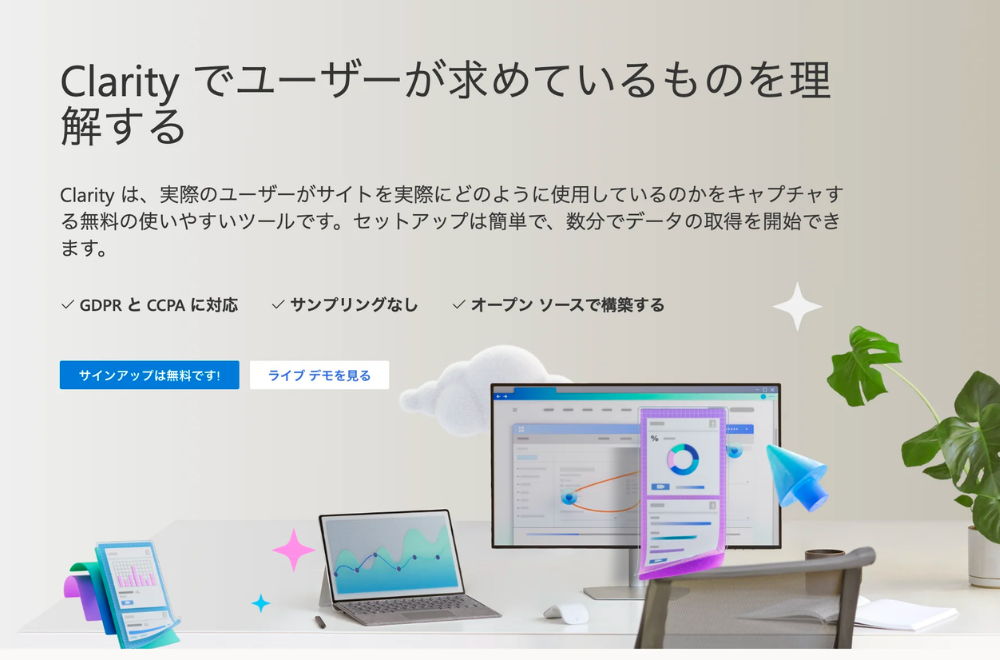
This is a free behavior analysis tool provided by Microsoft. Enables "session analysis", "heatmap analysis", and "recording analysis" of your Shopify site completely free of charge.
Pricing: Free
In the blog article below,Explains basic information about Clarity and how to set it up on Shopify.

Things to keep in mind when selecting and implementing Shopify apps
Does it support Japanese?
Shopify has many useful and famous apps.
However, if you choose a foreign-made Shopify app just because it is famous, you will incur hidden work costs (Japanese translation, inquiries when a problem occurs, etc.), so you need to be careful.
First, let's check whether the following is supported in Japanese.
- Display area on storefront side
- App management screen
- Help page
- Contact person
Does the necessary functionality exist?
For example, in the case of a subscription app, if it does not include peripheral subscription features—not just the subscription function itself, but also allowing the customer to change the subscription on their own page, requiring a minimum contract period, or automatically collecting surveys upon cancellation—there will be cases where you later need to switch to a different Shopify app. Switching costs may be high for Shopify apps that are directly linked to sales, such as subscription apps.
Therefore, it is a good idea to identify the functions that are likely to be needed as much as possible from the beginning.
how much does it cost
Shopify apps are categorized into five types of pricing types:
①Free, ②One-time purchase, ③Monthly charge (annual charge), ④Pay-as-you-go, ⑤Monthly charge (yearly charge) + pay-as-you-go
①Free
No matter how you use the Shopify app, it's completely free.
② Outright purchase
Once you purchase, you can use the Shopify app forever.
There aren't that many Shopify apps that you can purchase one-time.
③Monthly billing (annual billing)
You will incur costs throughout your subscription to the Shopify app.
④Pay-as-you-go
Fees will be incurred for sales made via the Shopify app, and fees will be charged depending on the number of emails etc. sent and the number of accounts such as LINE.
⑤Monthly billing (yearly billing) + pay-as-you-go billing
Both monthly and pay-as-you-go charges occur.
Many Shopify apps charge not only a monthly fee for subscription apps, but also a sales commission of several percent on sales made through subscription apps.
First, organize your information and consider, ``How much can you afford to pay for the Shopify app for what you want to achieve?'' and ``How much will it cost as you grow?''
Are the post-uninstallation processes performed properly?
Although rare, some Shopify apps misbehave by leaving their source code in the theme even after uninstallation. Leaving the source code behind does not necessarily mean it will not have a negative impact on your Shopify store.
In fact, our Shopify app "RuffRuff 予約販売" also experienced a problem where it did not work as intended due to the influence of the Shopify app mentioned above.
It's difficult to spot Shopify apps that leave source code like the one above, but I think one defense is to be careful if the permissions displayed when installing the app include "edit online store."
You should be careful because apps that include the permission to "edit online stores" can edit themes. (Excluding apps that require theme editing, such as page builder apps)

Try testing in the development environment
Rather than suddenly installing the Shopify app in your production environment or live theme, it's a good idea to install the Shopify app in your development environment (development store or theme) and test it. By testing the introduction of the Shopify app in a test environment in advance, you can avoid risks such as damage to data or source code due to the introduction of the Shopify app.
However, please note that paid apps that are not set as partner friendly will not be available in the development store.
What is the Partner Friendly App?
Partner-friendly apps mean you can continue to use them for free if you want to test them in the development store. When ownership of these apps is transferred and you switch to a paid plan, you will be charged for the app. We encourage all partners to try it out.
Frequently asked questions about the Shopify app
What can I do with the Shopify app?
You can enhance the default functions of your Shopify store, such as increasing sales and improving business efficiency.
What types (categories) of apps are available in the Shopify app?
The Shopify app has the following categories:
Search for products
Dropship, print on demand, wholesale, and source products from suppliers
sell products
Expand sales through sales channels, subscriptions, product options, and digital downloads
Order and delivery
Handle fulfillment with inventory management, order printers, invoices, and order tracking
The blog article below introduces the features and settings of shipping in Shopify, as well as recommended shipping apps to improve shipping efficiency. Please use this as a reference.

store design
Customize your pages with reviews, currency converters, translations, and pop-ups
marketing and conversion
Acquire customers with SEO, upsells, bundles, discounts, and email marketing
store management
Support your customers with a help center, chat, wishlist, FAQ, and loyalty program
Is there a way to find Shopify apps for Japan (domestic)?
The Shopify App Store has a collection page that compiles Shopify apps for Japan (domestic market), so please refer to it.
Additionally, the blog article below introduces Shopify apps for Japan that are not listed in the categories above. Please use this as a reference.

Where can I see a list of Shopify apps developed by Tsun?
You can check the Shopify app "RuffRuff" series developed by our company on the page below. We will continue to provide Shopify apps that are useful for merchants, so please check back regularly.


