

This is the only Shopify app in the world that can automatically generate a table of contents not just for blog articles, but also for product pages, collections, Pages, and more.
You can start using it for free, and it can be set up with no coding required.
You can customize many things, such as the wording, design, whether scrolling is on or off, and the display position of the table of contents. It also has a live preview feature, letting you customize the table of contents while checking the result in real time.
Once you've built an e-commerce site on Shopify, registered products, and posted a few blog articles, and your preparations for attracting customers and driving purchases are starting to come together, SEO is something you'll want to consider.
One form of SEO is internal linking. Among internal link measures, related articles are one that's easy to implement.
This article explains how to install the free app "Related Blog Posts," which lets you show related articles on Shopify.
The article below explains the benefits of SEO and the SEO measures you can take on Shopify. Please use it as a reference.

We also introduce Shopify's blog feature in the article below, so if you haven't started writing blog articles yet, please use it as a reference.

What Is Related Blog Posts?
Related Blog Posts is a free Shopify app that automatically displays related articles.
Related Blog Posts Can Also Be Customized
・Set the number of related posts shown to improve readership
・Use each blog article's featured image to increase click-through rate
・You can change the text shown when there are no related articles.
・Decide which blogs to show (ideal if you want to manage multiple blogs separately)
・Exclude articles with a specific tag from being treated as related articles
・Prevent an article from being shown as a related article (useful for hiding one-off promotional posts)
・You can set the style of the related articles.
・You can also code it using CSS.
How to Install Related Blog Posts
How you install Related Blog Posts differs depending on whether the Shopify template you're using is OS 2.0 or an earlier template.
If Your Template Is OS 2.0
Installation is 3 steps.
- (1) Install the app
- (2) Open the theme editor and enable the app
- (3) Add a "Blog Posts" block to the blog article template
We'll now explain in detail.
(1) Install the app
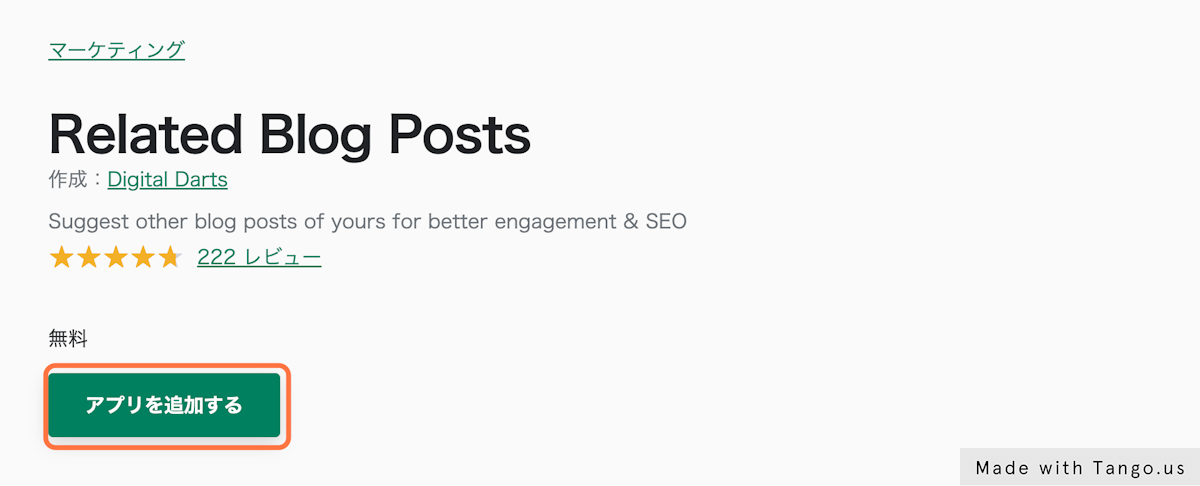
1. Go to Related Blog Posts and click "Add app"
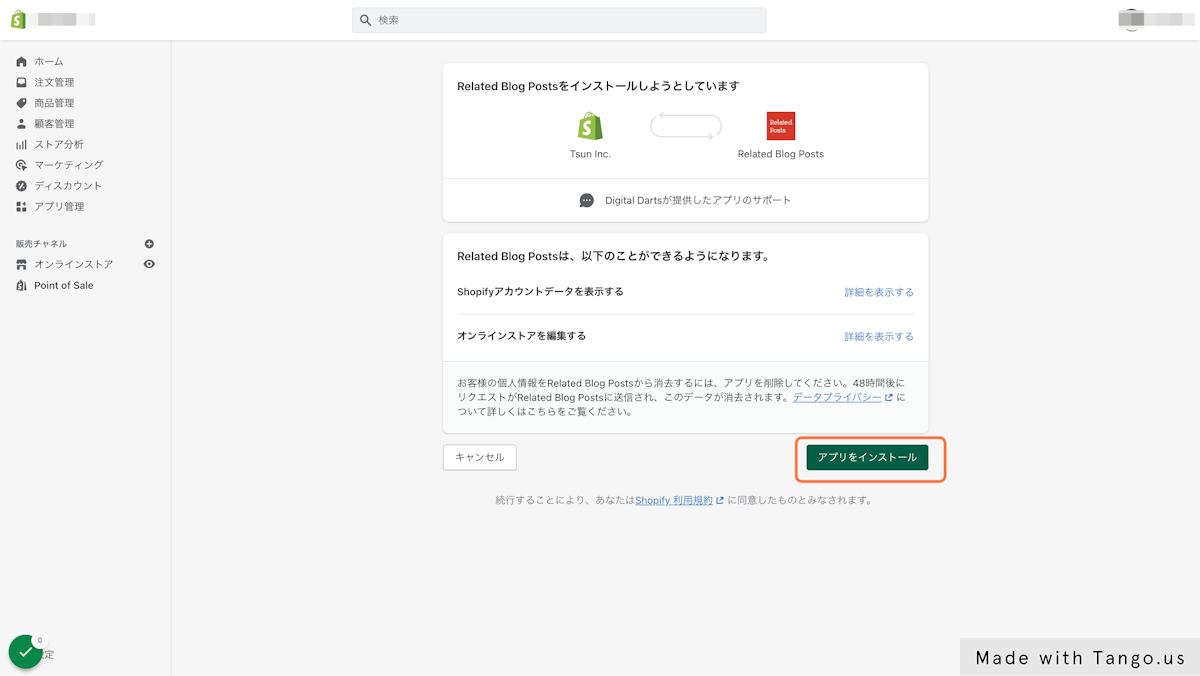
2. Click "Install app"
(2) Open the theme editor and enable the app
3. Select Online Store > Themes > Customize, in that order, to open the theme editor
4. Select "App embeds" in the theme editor, enable "Blog Posts," and save

(3) Add a "Blog Posts" block to the blog article template
5. With the theme editor still open, select the "Blog post" template
6. Click "Add section" in the left-hand menu and choose "Blog Posts" from Apps
7. Drag and drop the section from step 6 to wherever you want to show related articles, then save
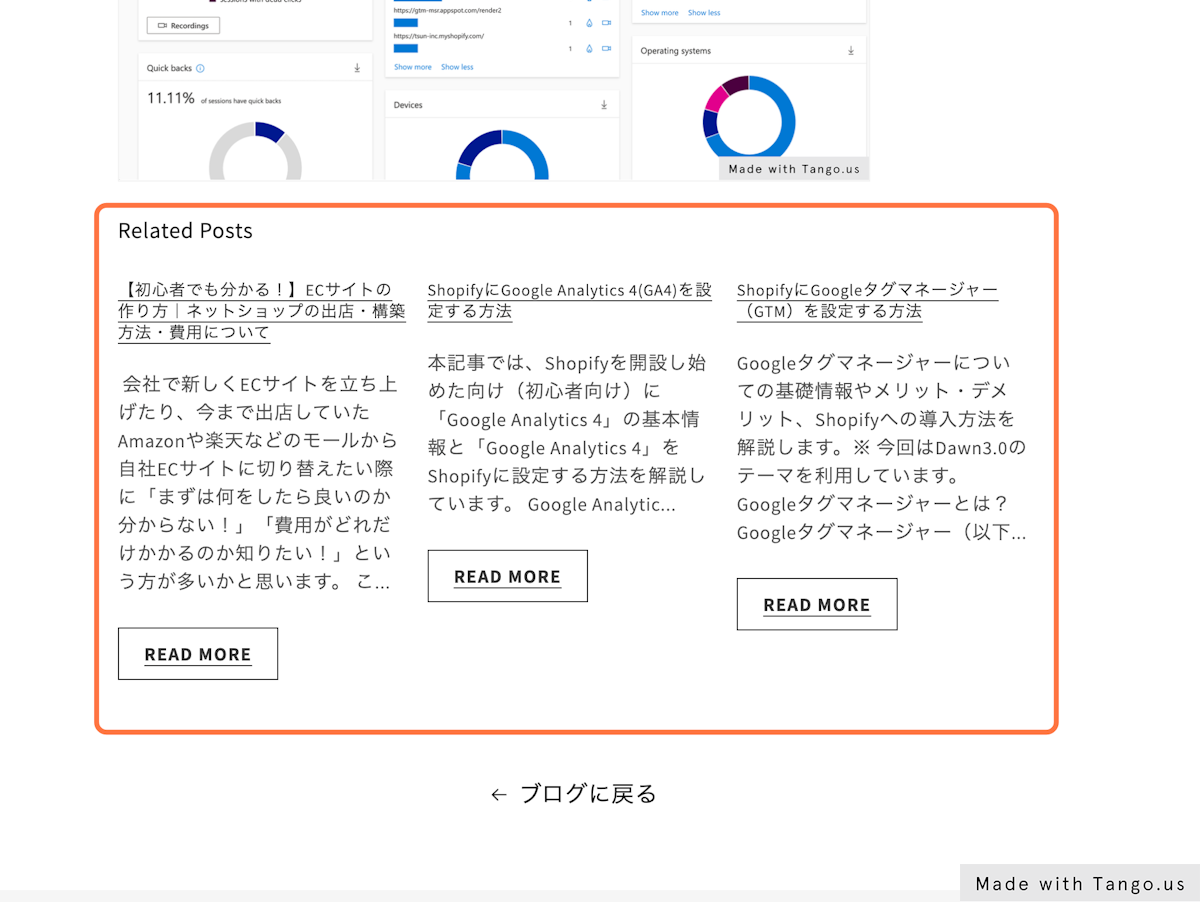
8. Check that related articles are displayed
If Your Template Is Pre-OS 2.0
Installation is 2 steps.
- (1) Install the app
- (2) Add the source code to a specific location
We'll now explain in detail.
(1) Install the app
1. Go to Related Blog Posts and click "Add app"
2. Click "Install app"
(2) Add the source code to a specific location
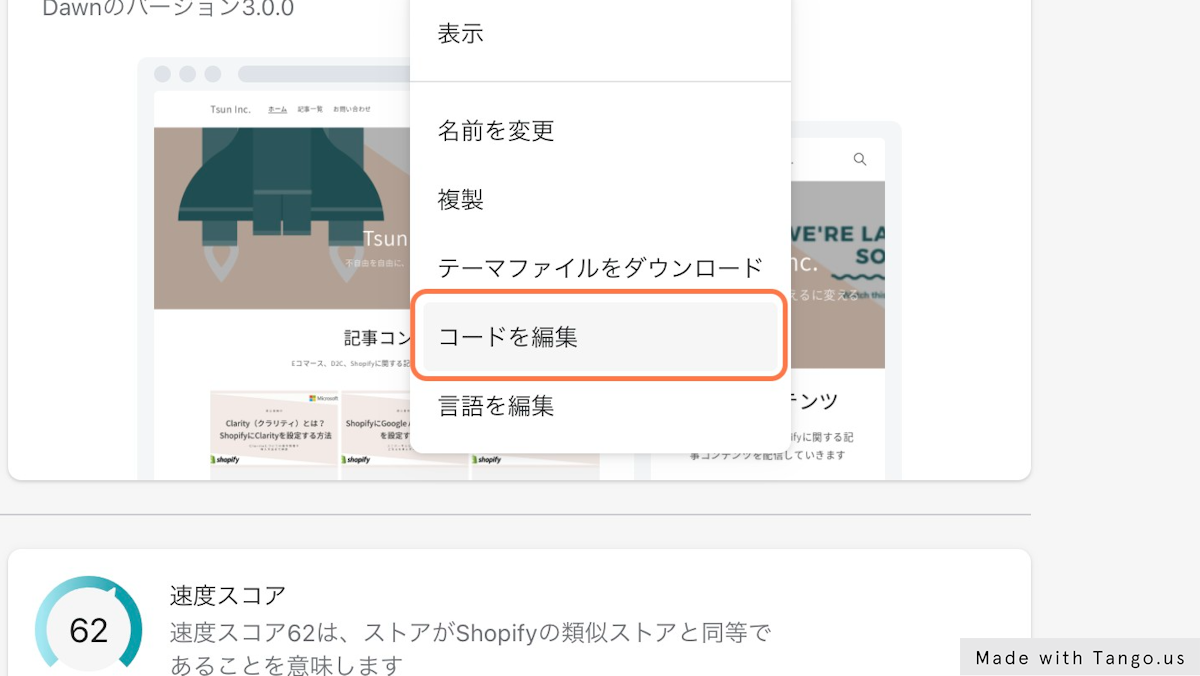
3. Click Online Store > Themes > Actions, in that order
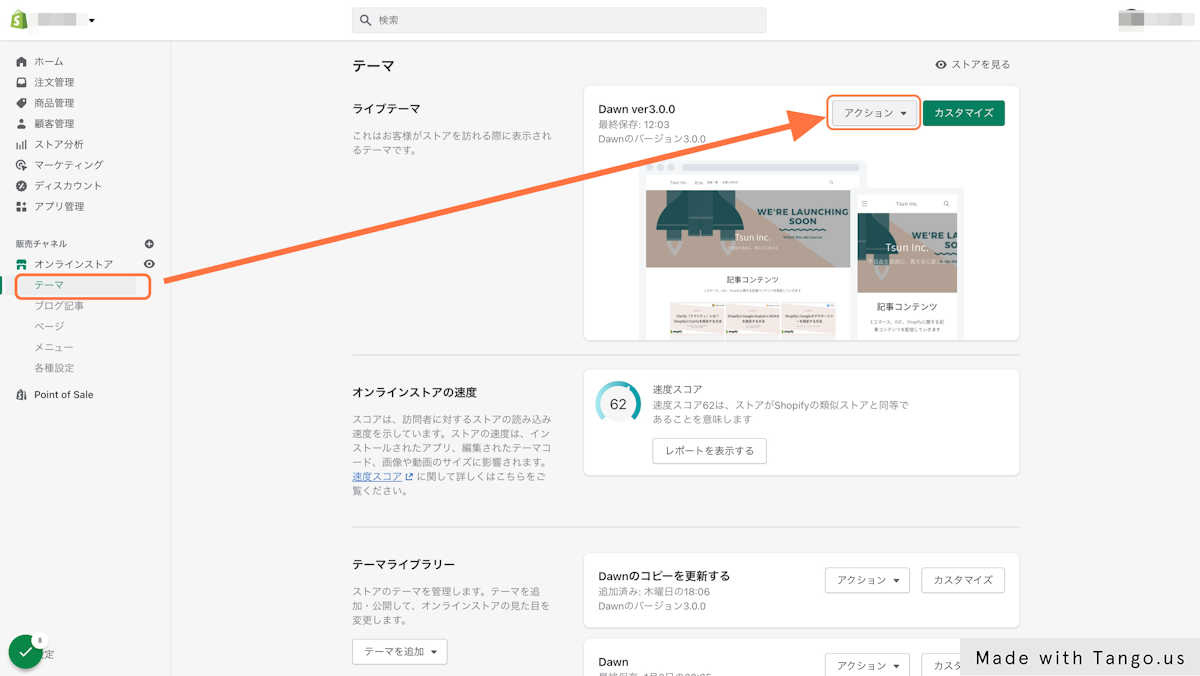
4. Select "Edit code" from Actions
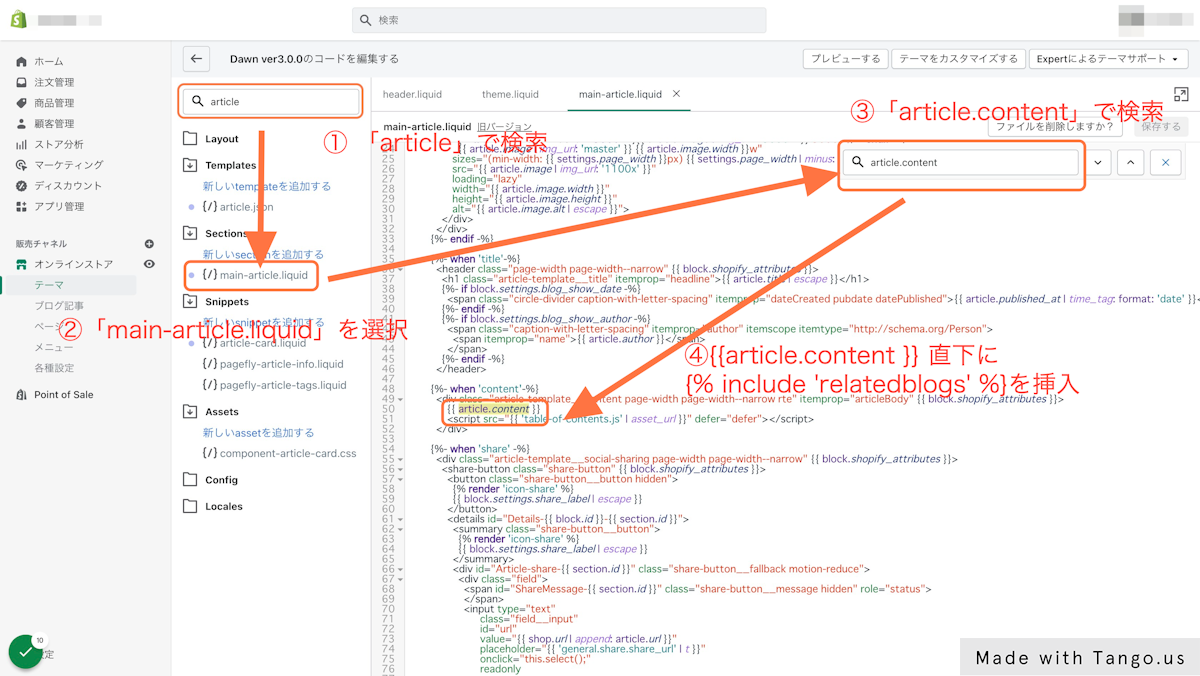
5. Insert {% include 'relatedblogs' %} into the source code
・Search for "article" in the file search form
・Select "main-article.liquid"
・Search for "article.content" using the text search
・Insert {% include 'relatedblogs' %} directly below {{article.content}}
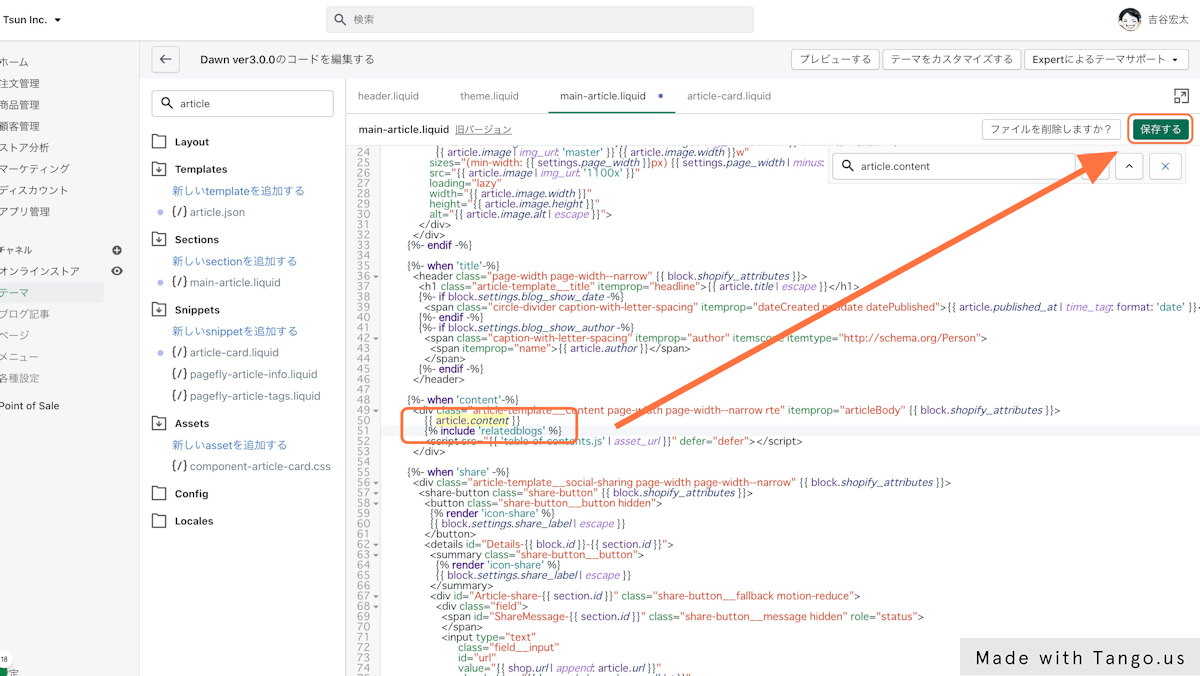
6. Click "Save"
Check that {% include 'relatedblogs' %} has been inserted directly below {{article.content}}, then click "Save"
7. Check that related articles are displayed
Related articles are shown at the bottom of the article
Internal Link Measures Other Than Related Articles
Table of Contents
A table of contents is one internal-link measure with various benefits, such as "improved readability (better usability)" for blog articles. The article below explains the benefits of a table of contents. Please use it as a reference.

The page below also introduces the Shopify app "RuffRuff Table of Contents," which generates a table of contents for your Shopify store for free. Please use it as a reference.

Tag List
A tag list is one internal-link measure with various benefits, such as "making information easier to find (better usability)." The article below explains the benefits of a tag list. Please use it as a reference.

The page below also introduces the Shopify app "RuffRuff Product & Blog Tags," which generates a tag list for your Shopify store for free. Please use it as a reference.
Breadcrumbs
Breadcrumbs are one internal-link measure that help visitors understand their current position and quickly access the parent level above it. The article below explains in detail the benefits of showing breadcrumbs. Please use it as a reference.

In Closing
The article below introduces various recommended apps by category, in addition to Shopify apps that can show related articles, such as "customer acquisition," "sales growth," and "blog article expansion." Please use it as a reference.


