Shopifyで購入回数を毎月3回までに制限する方法

How to Limit Purchases to 3 Times per Month on Shopify | Shopify Apps Included

Tsunライターチーム

This article introduces a method for limiting each member to a maximum of 3 purchases per month.

For those who want to automatically limit the quantity of items purchased each month

If you want to limit the quantity of items that can be purchased, such as “up to 3 items per person per month,” rather than the number of purchases, you can use Cumulative quantity rules in RuffRuff Order Limits.

You can total the quantities of eligible items purchased across orders and automatically reset the purchase allowance on the 1st of each month. In this approach, setting up Shopify Flow and reapplying the ticket tags each month are not required.

The article below introduces a setup example that totals the products in the target collection and limits them to 3 items per month.

Cumulative quantity rules are available on the Full plan (confirmed on October 23, 2026). The setup example introduced requires customers to log in. Because there is a delay before the aggregated totals are reflected, please also check the linked page for points to note about consecutive orders and simultaneous purchases.

The blog article below introduces methods for implementing various purchase limits on Shopify, such as quantity, amount, and weight limits. Please use it as a reference.

Output

With this setup in place, products will appear as follows for "members who have purchased 0 to 2 times" versus "non-logged-in users (hereafter, guest members) or members who have purchased 3 times":

  • Members who have purchased 0 to 2 times
    • Can purchase the product
  • Guest members or members who have purchased 3 times
    • Cannot purchase the product
    • An alert message is displayed if they attempt to purchase

      Prerequisites

      To carry out this setup, we'll use "RuffRuff Order Limits" and "Shopify Flow." If you haven't installed them yet, please do so.

      RuffRuff Order Limits

       "RuffRuff Order Limits" is a fully Japanese-supported Shopify app, and Japan's first app to use the Cart and Checkout Validation API.

      By using the "Cart and Checkout Validation API," it achieves server-side processing for purchase-limit logic that could previously only be handled on the front end. As a result, compared to existing purchase-limit apps, it delivers a far more robust purchase-limit mechanism that is much harder to circumvent.

      With just a single app, you can implement quantity limits such as "up to 1 unit per order" or "3 units or more per order," as well as amount limits such as "allow purchases up to a total of ¥3,000" or "allow purchases only from a total of ¥1,000 or more," and bundling restrictions such as "cannot be purchased together with other products" or "can only be purchased together with products in a specific category."

      Shopify Flow
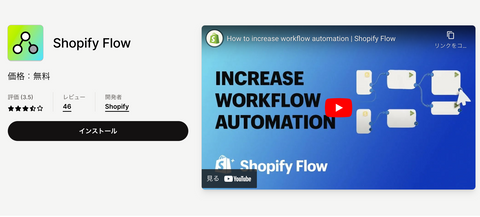
      Shopify Flow | Shopify App Store
      Source: Shopify Flow | Shopify App Store

      Shopify Flow is Shopify's own native app that automates all kinds of tasks and processes that arise in running a Shopify store. It used to be available only on the Premium plan, but since July 2023 it has also been available starting from the Basic plan. Shopify Flow can be installed for free from the Shopify App Store. It's a service similar to automation tools such as Zapier or IFTTT.


      Implementation Steps

      Here are the implementation steps:

      • (Step 1) Bulk-assign the customer tags "Ticket1, Ticket2, Ticket3" to all customers on the 1st of every month
      • (Step 2) Use RuffRuff Order Limits to run a members-only sale limited to customers who have any of the customer tags "Ticket1, Ticket2, Ticket3"
      • (Step 3) Use Shopify Flow to remove the customer tags Ticket1, Ticket2, and Ticket3 in order, one at a time, each time a purchase is made

      Let's look at each step in detail.

      (Step 1) Bulk-Assign Customer Tags on the 1st of Every Month

      In the steps in this article, ticket tags are assigned manually on the 1st of each month. If you want to automatically limit the quantity of items purchased each month, please see the Cumulative quantity rules setup example introduced at the beginning.

      Bulk-assign customer tags on the 1st of every month
      1. Go to Segments or Customer management
      2. Check the members you want to tag
      3. Bulk-add the customer tags "Ticket1, Ticket2, Ticket3"

      (Step 2) Run a Members-Only Sale Using RuffRuff Order Limits

      Here we introduce how to use RuffRuff Order Limits to run a members-only sale limited to customers who have any of the customer tags "Ticket1, Ticket2, Ticket3."

      Click 'Customer Rules' in the app's left-hand menu

      1. Click "Customer Rules" in the app's left-hand menu
      2. Click "Create Rule" on the Customer Rules page
      3. On the Create Customer Rule page, enter the following

      Enter the following on the Create Customer Rule page
      • Title... any text you like
      • Require account... check this box
        * For this setup, keep "Require account" checked so that only logged-in customers can purchase.
      • Customer tags... add the tags "Ticket1, Ticket2, Ticket3"
      • Target items... select the product(s) or collection(s) you want to restrict
      • Product message... enter any message you like
      • Alert message... enter any message you like

      4. Click "Save" at the top right of the screen

        (Step 3) Remove Customer Tags on Purchase Using Shopify Flow

        Here we introduce how to use Shopify Flow to remove the customer tags Ticket1, Ticket2, and Ticket3 in order, one at a time, each time a purchase is made.

        Remove customer tags on purchase using Shopify Flow
        1. Select "Order Created" as the trigger
        2. For the first condition, set it so that if the customer tags include Ticket1, the action removes Ticket1; if not, proceed to the second condition
        3. For the second condition, set it so that if the customer tags include Ticket2, the action removes Ticket2; if not, proceed to the third condition
        4. For the third condition, set it so that if the customer tags include Ticket3, the action removes Ticket3
        5. Turn the workflow on

        *Please also refer to the attached image for details.

        Bonus

        Bulk-Assigning Customer Tags Upon New Member Registration

        Shopify Flow can't bulk-assign customer tags to all members on a recurring schedule, but it can bulk-assign the customer tags "Ticket1, Ticket2, Ticket3" triggered by new member registration.

        With this setup, members who register partway through the month will also automatically receive the customer tags, helping you avoid forgetting to assign them.

        Bulk-assigning customer tags upon new member registration
        1. Select "Customer Created" as the trigger
        2. Select "Add Customer Tags" as the action, and add "Ticket1, Ticket2, Ticket3"
        3. Turn the workflow on

        *Please also refer to the attached image for details.

        In Closing

        This article introduced how to use RuffRuff Order Limits to limit purchases to 3 times per month.

        If you want to limit the number of purchases to a maximum of 3 times per month, please refer to this article’s steps that use tags. If you want to limit the quantity of items purchased to a maximum of 3 items per month and also automate the monthly reset of the purchase allowance, please see the setup example that uses Cumulative quantity rules.

        RuffRuff Order Limits can also handle quantity limits, amount limits, bundling restrictions, and more. If you'd like to try out RuffRuff Order Limits for yourself, please try its actual features via the demo products below.

        The blog article below introduces various other recommended apps by category, beyond RuffRuff Order Limits, covering areas such as "customer acquisition," "sales growth," and "blog post enhancement." Please use it as a reference.

        RuffRuff apps related to this article

        👆️目次はShopifyアプリ「RuffRuff 目次作成」を利用

        👆️Table of contents by the Shopify app RuffRuff Table of Contents

        Back to blog
        • 【アプリなし】Shopifyテーマのカウントダウンタイマーを50件比較

          [No app required] Countdown timers across 50 Sh...

          Tsun ライターチーム

          We reviewed 50 Shopify themes. On all 39 with a timer, we could still add products to the cart and reach checkout after the deadline. See where to find the...

          [No app required] Countdown timers across 50 Sh...

          Tsun ライターチーム

          We reviewed 50 Shopify themes. On all 39 with a timer, we could still add products to the cart and reach checkout after the deadline. See where to find the...

        • Shopifyテーマの予約販売の対応可否を50件比較|41テーマで予約ボタンを確認

          Pre-order support across 50 Shopify themes | Pr...

          Tsunライターチーム

          We reviewed the official help and the theme editor for 50 Shopify themes. We tried the settings on a development store and confirmed pre-order buttons with no app on 41...

          Pre-order support across 50 Shopify themes | Pr...

          Tsunライターチーム

          We reviewed the official help and the theme editor for 50 Shopify themes. We tried the settings on a development store and confirmed pre-order buttons with no app on 41...

        • Shopify Protect: Rule Builderとは?機能・メリット・料金を解説

          What is Shopify Protect: Rule Builder? Features...

          Tsun ライターチーム

          Explore the features, pricing, and considerations for Shopify's fraud prevention app, Shopify Protect: Rule Builder. Learn about custom rules, testing against orders from the past 90 days, the waitlist, Japanese-language...

          What is Shopify Protect: Rule Builder? Features...

          Tsun ライターチーム

          Explore the features, pricing, and considerations for Shopify's fraud prevention app, Shopify Protect: Rule Builder. Learn about custom rules, testing against orders from the past 90 days, the waitlist, Japanese-language...

        • Shopifyアプリ「ChatGPT」とは?機能・料金・日本での利用条件を解説

          What Is the Shopify App “ChatGPT”? Features, Pr...

          Tsun ライターチーム

          An introduction to the features and pricing of OpenAI’s Shopify app “ChatGPT.” It explains product information sync, information management and analytics in Business Hub, ad delivery, Business Agent features, and...

          What Is the Shopify App “ChatGPT”? Features, Pr...

          Tsun ライターチーム

          An introduction to the features and pricing of OpenAI’s Shopify app “ChatGPT.” It explains product information sync, information management and analytics in Business Hub, ad delivery, Business Agent features, and...

        • Shopifyで使える決済方法一覧|手数料・導入サービス・選び方

          [Complete Guide] A Roundup of Payment Methods A...

          Tsunライターチーム

          This article gives a detailed explanation of the many payment methods available on Shopify and their respective payment processing fees and transaction fees. We also introduce handy Shopify apps that...

          [Complete Guide] A Roundup of Payment Methods A...

          Tsunライターチーム

          This article gives a detailed explanation of the many payment methods available on Shopify and their respective payment processing fees and transaction fees. We also introduce handy Shopify apps that...

        • GMOイプシロンの手数料・決済方法・入金サイクル|Shopifyの条件も解説

          GMO Epsilon Fees, Payment Methods, and Payout C...

          Tsun ライターチーム

          GMO Epsilon payment methods and fees, organized by contract type. Covers Shopify-specific terms, payouts, authorization and capture deadlines, refunds, and cancellation. Also introduces ways to use apps to control which...

          GMO Epsilon Fees, Payment Methods, and Payout C...

          Tsun ライターチーム

          GMO Epsilon payment methods and fees, organized by contract type. Covers Shopify-specific terms, payouts, authorization and capture deadlines, refunds, and cancellation. Also introduces ways to use apps to control which...

        1 of 6
        • AI仮想顧客の改善ツール「SimGym」を使ったら売上はどうなった?実行から3か月後までの記録

          What Happened to Sales After Using SimGym, an A...

          テキサス・アユミ

          A record of trying SimGym on the miso specialty store ドットミソ, from checking the proposals through carrying out changes to the look-back three months later. It covers how the order...

          What Happened to Sales After Using SimGym, an A...

          テキサス・アユミ

          A record of trying SimGym on the miso specialty store ドットミソ, from checking the proposals through carrying out changes to the look-back three months later. It covers how the order...

        • 【ストアインタビュー後編】やりながら育てるShopify。「野菜をMOTTO」の試行錯誤:モンマルシェ株式会社 河野雄士さん

          [Store Interview, Part 2] Building and Growing ...

          テキサス・アユミ

          "Even when e-commerce is the main battlefield, e-commerce isn't the goal." An in-depth look at our interview with Yuji Kono of Mon Marché, whose brand "Yasai wo MOTTO" grew its...

          [Store Interview, Part 2] Building and Growing ...

          テキサス・アユミ

          "Even when e-commerce is the main battlefield, e-commerce isn't the goal." An in-depth look at our interview with Yuji Kono of Mon Marché, whose brand "Yasai wo MOTTO" grew its...

        • 【ストアインタビュー前編】 ECが主戦場でも、ECが目的ではない。「野菜をMOTTO」が貫くEC戦略:モンマルシェ株式会社 河野雄士さん

          [Store Interview, Part 1] Even When E-Commerce ...

          テキサス・アユミ

          "Even when e-commerce is the main battlefield, e-commerce isn't the goal." Part 1 of our interview with Yuji Kono of Mon Marché, whose brand "Yasai wo MOTTO" grew its e-commerce...

          [Store Interview, Part 1] Even When E-Commerce ...

          テキサス・アユミ

          "Even when e-commerce is the main battlefield, e-commerce isn't the goal." Part 1 of our interview with Yuji Kono of Mon Marché, whose brand "Yasai wo MOTTO" grew its e-commerce...

        1 of 3
        • Our Editorial Process

          For readers new to e-commerce and Shopify, we write our articles with care to explain difficult commerce and marketing terms, along with how everything works from building a store through to selling, as “gently,” “clearly,” and “accurately” as we can.

          Learn more 
        • About the information on this site

          The information published here is based on Tsun Inc.’s own experience and research. While we make every effort to publish information that is as “current” and “accurate” as possible, we cannot fully guarantee its contents. Tsun Inc. accepts no liability whatsoever for any damages arising from this site. If you find an error in the information published here, we would be grateful if you would contact Tsun Inc.